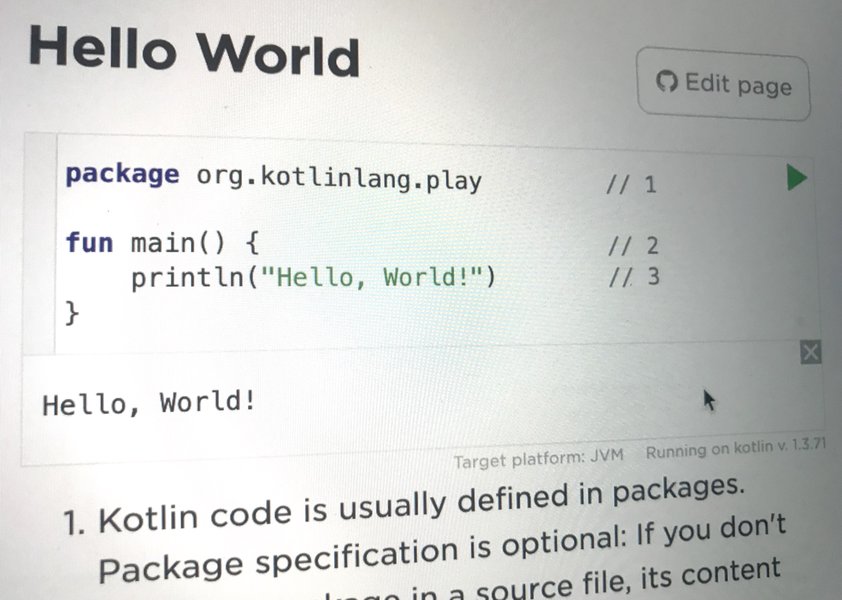
Kotlin Playground is HTML component which creates Kotlin-aware editors capable of running code from HTML block elements. You can use it on your Hugo-powered blog to render and run Kotlin code.
Add to <head> section of html document, e.g. in custom partial layout/partials/custom_header.html:
1<script src="https://unpkg.com/kotlin-playground" data-selector=".kotlin-code"></script>Add a shortcode template to your site, in layouts/shortcodes/kotlin.html,
with the content:
 1<!-- kotlin -->
 2<code class="language-kotlin kotlin-code"
 3    {{- if .Get "foldedButton" }} folded-button="{{ .Get "foldedButton" }}" {{ end -}}
 4    {{- if .Get "height" }} data-output-height="{{ .Get "height" }}" {{ end -}}
 5    {{- if .Get "highlightOnly" }} data-highlight-only {{ end -}}
 6    {{- if .Get "jsLibs" }} data-js-libs="{{ .Get "jsLibs" }}" {{ end -}}
 7    {{- if .Get "targetPlatform" }} data-target-platform="{{ .Get "targetPlatform" }}" {{ end -}}
 8    {{- if .Get "theme" }} theme="{{ .Get "theme" }}" {{ end -}}
 9    match-brackets="true"
10>{{htmlUnescape .Inner}}</code>
11<!-- /kotlin -->
For instance following block of Kotlin code:
1class Contact(val id: Int, var email: String)
2
3fun main(args: Array<String>) {
4   val contact = Contact(1, "[email protected]")
5   println(contact.id)
6}
turns into:
data class Contact(val id: Int, var email: String)
fun main() {
val contact = Contact(1, "[email protected]")
println(contact)
}
by applying kotlin shortcode in markdown:
1{{< kotlin >}}
2data class Contact(val id: Int, var email: String)
3
4fun main() {
5    val contact = Contact(1, "[email protected]")
6    println(contact)
7}
8{{< /kotlin >}}
If you want to render code block without showing “Run” button you can use following snippet in Markdown:
1{{< kotlin highlightOnly=true >}}
2data class Contact(val id: Int, var email: String)
3{{< /kotlin >}}
data class Contact(val id: Int, var email: String)If you want to show only specific fragment of code then use //sampleStart and //sampleEnd comments:
 1{{< kotlin highlightOnly=true >}}
 2
 3data class Contact(val id: Int, var email: String)
 4
 5fun main() {
 6    //sampleStart
 7    val contact = Contact(1, "[email protected]")
 8    println(contact)
 9    //sampleEnd
10}
11{{< /kotlin >}}
All other code is collapsed:
data class Contact(val id: Int, var email: String)
fun main() {
//sampleStart
val contact = Contact(1, "[email protected]")
println(contact)
//sampleEnd
}
If you want to showcase a coroutine there is good news.
Coroutines libraries are already in classpath on playground server.
import kotlinx.coroutines.*
fun main() = runBlocking {
val deferred = async {
loadData()
}
println("waiting...")
println(deferred.await())
}
suspend fun loadData(): Int {
println("loading...")
delay(1000L)
println("loaded!")
return 42
}
Supported attributes
Shortcode supports following attributes:
| Name | Example | Description |
|---|---|---|
compilerVersion | 2.1.0, latestStable | Kotlin compiler version. Supported versions |
foldedButton | false, true | If you want to hide code snippet just set it to false |
height | 20 | Set data-output-heigh. Set the iframe height in px in output. Use for target platform canvas. |
highlightOnly | false, true | Disable run button |
jsLibs | 20 | Provide additional data-js-libs |
targetPlatform | java, js,junit,canvas | Use another target platform |
theme | idea, dracula | Use theme |
Example:
1{{< kotlin compilerVersion="latestStable" foldedButton=false height=300 targetPlatform="canvas" >}}